An infuriating goodbye to Photoshop
July 12, 2026
I’ve been using Photoshop since the mid-90s. First at school, with Photoshop 3, then through work. I bought my first boxed copy of CS2 in 2005, then upgraded to CS5 in 2010. I subscribed to Photoshop Creative Cloud on day one. Today, I uninstalled it. I hope I never have to use Adobe software ever again.
Photoshop used to be a joy to use. Whenever I got access to an upgraded version, I’d always have fun exploring the new features. I got really good at using it. When Adobe launched the Creative Cloud version of Photoshop in 2013, I signed up immediately. The subscription meant I would always have an up-to-date Photoshop, and I loved the idea that new features would be rolled out more frequently.
But over time things started getting worse. Slowly at first, but then much more quickly.
Originally, the Creative Cloud app was native and relatively useful. I wasn’t ever excited to open it, but I certainly didn’t mind having it installed. At some point, it became a terrible web-based app. Over time it felt slower and more broken.
One thing I loved as part of the Creative Cloud subscription was the Creative Cloud Synced Files service. Basically, it was Adobe’s version of Dropbox. I used it all the time to share screenshots and samples of in-progress work. Then, in 2023, Adobe announced they’d be discontinuing the service. There was so much pushback that they delayed the service’s retirement for a year. It makes sense, it was a nice feature of the subscription plan and businesses had come to rely on it. This was the first time I started questioning my Creative Cloud subscription.
Out of curiosity, I looked around at the available options. I played with Pixelmator Pro, Acorn, and Affinity Photo (now Affinity). They were all fine, but I couldn’t let Photoshop go. I just knew it too well. But I also started realizing how little I was using it.
I used to do a lot of traditional web development. In days of yore, this involved getting Photoshop mockups from designers. Those images needed slicing into pieces that you’d use to build a site or an app. But I hadn’t gotten a Photoshop document from a client in years. The PSD had been replaced with Sketch files, then with links to Figma documents. I still used Photoshop to touch up images, but that really didn’t use much of its power. The only thing holding me to the product was familiarity.
Then I started to notice some real quality issues. For some reason that I still don’t understand, my copy of Photoshop stopped updating. I didn’t notice for a while, but eventually I stumbled upon the release notes and saw that I was something like nine months behind. I was able to fix this by forcing the Creative Cloud app to reload its settings using Command + Option + R, at which point I could update. Then, a few months later, Photoshop updates started getting stuck. I’d start an update, but it would spin for hours but never complete. I was able to fix this by uninstalling Photoshop using the Creative Cloud app, then re-installing it… but I had to do this more than once. Soon after that, every new Photoshop update would reset my preferences to the defaults. I’d need to take 5 or so minutes to re-apply my settings every time.
A little while later, Adobe started silently updating my /etc/hosts file for license verification purposes. As posited in that link above, the Creative Cloud app now felt like malware to me. But that wasn’t all, Photoshop itself had started feeling terrible. There was now an annoying welcome screen that would re-appear for me whenever I didn’t have an image open. There was an option to disable it, but the option was reset every time I relaunched Photoshop for a couple of releases. Then Adobe decided to replace almost all of Photoshop’s native UI controls with web-based ones. This was the final straw.
I’m sure some of these issues were special cases for me. Something that got stuck somewhere, maybe. I’m a developer, so maybe my tooling was interfering with something? Only: every time I ran into an issue, I’d see dozens of people complaining about the same thing on the Adobe support forums. It really felt like Photoshop and the Creative Cloud app had grown into blobs of pain that Adobe no longer knew how to properly maintain.
As this was happening, Apple had released their Creator Studio service. For the same price as my Creative Cloud Photography plan, I could get an updated version of Pixelmator Pro, plus a bunch of other great apps. I’ve since signed up and haven’t looked back.
But Adobe wasn’t done with me yet. It turned out that my subscription, which had been going since 2013, was on an “Annual Paid Monthly” plan. Even though I was getting billed monthly, I couldn’t actually cancel any time I wanted. I had sort of remembered this being a thing when I signed up, but had long since forgotten about it. Anyway, the one-month window to cancel without a termination fee recently arrived, and I got around to cancelling today.
Cancelling required me to log into my Adobe account on the web. No problem, I thought. I had set up Adobe Authenticator, and had used it dozens of times to log in before. This time, however, the authenticator app needed me to log in. To log into the authenticator app, the app asked me to use the app to authenticate the app. Sorry, what? This was, of course, impossible. Eventually I figured out that I could use an alternative method to log into the app, so I could then use the app to authenticate my web session. This felt bone-headed, but whatever.
I then received the following email.
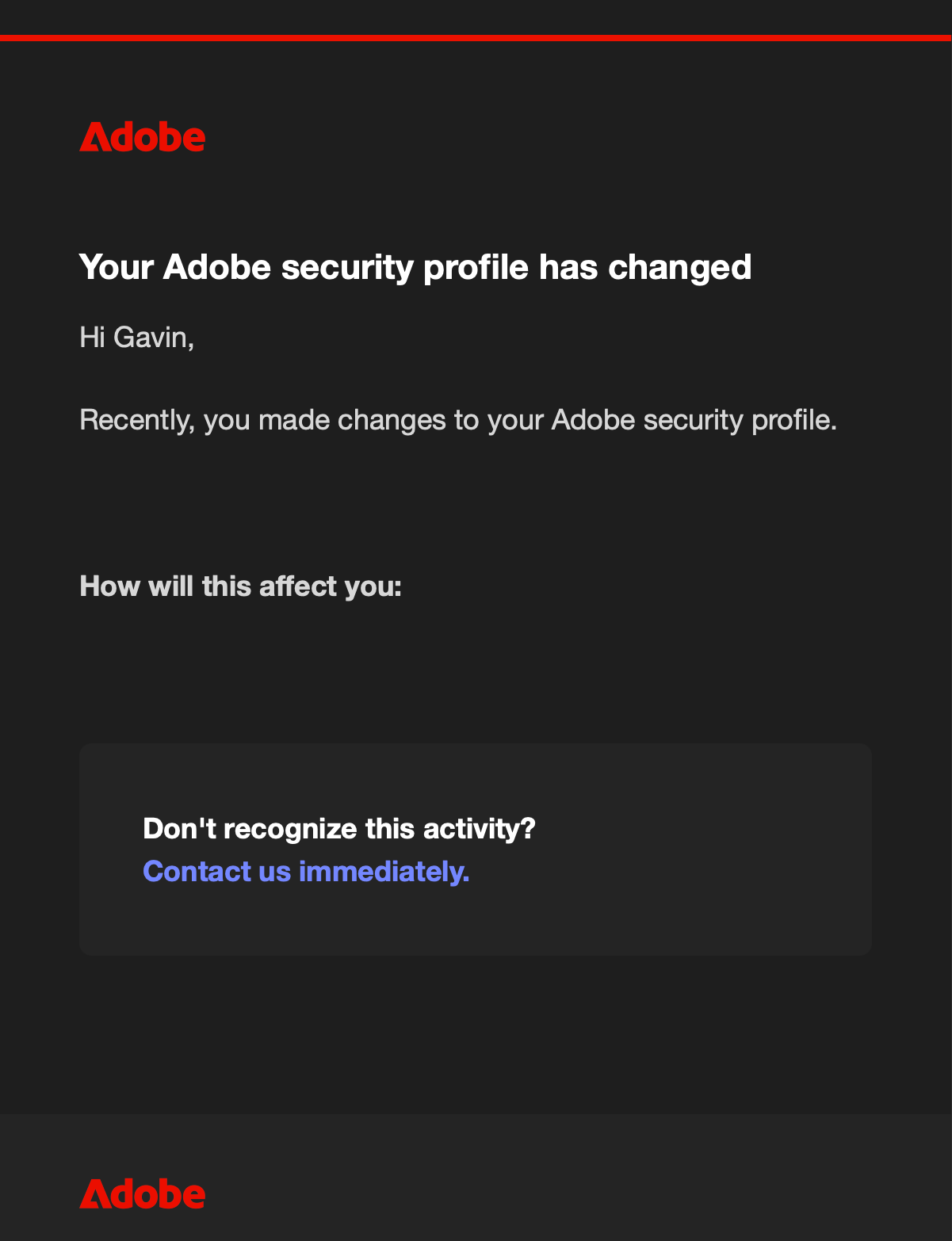
There’s nothing hidden here. That’s the whole message.
At this point, though, I was actually able to start the cancellation process. The first screen of the cancellation flow looked like this:
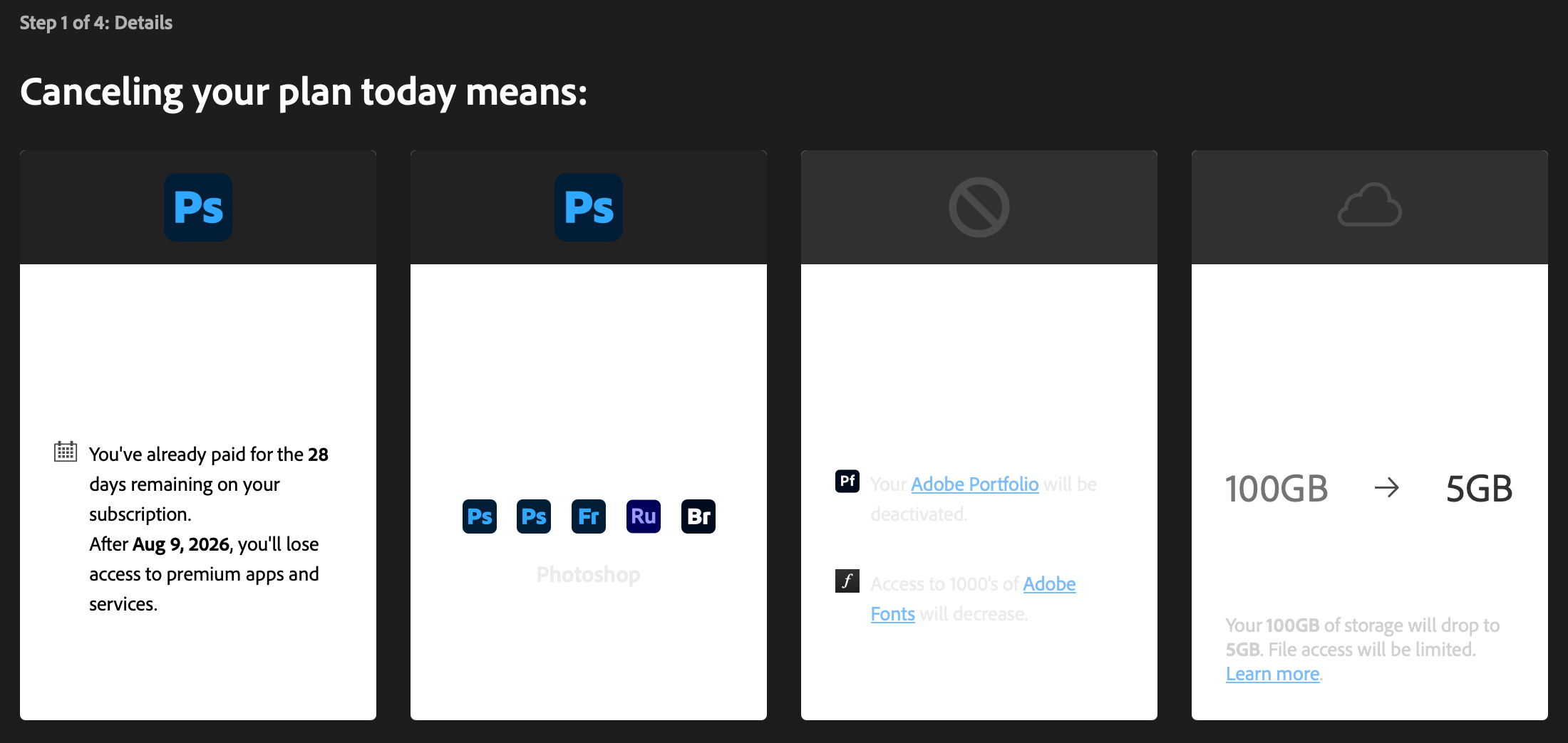
Here’s what it looked like after selecting things:
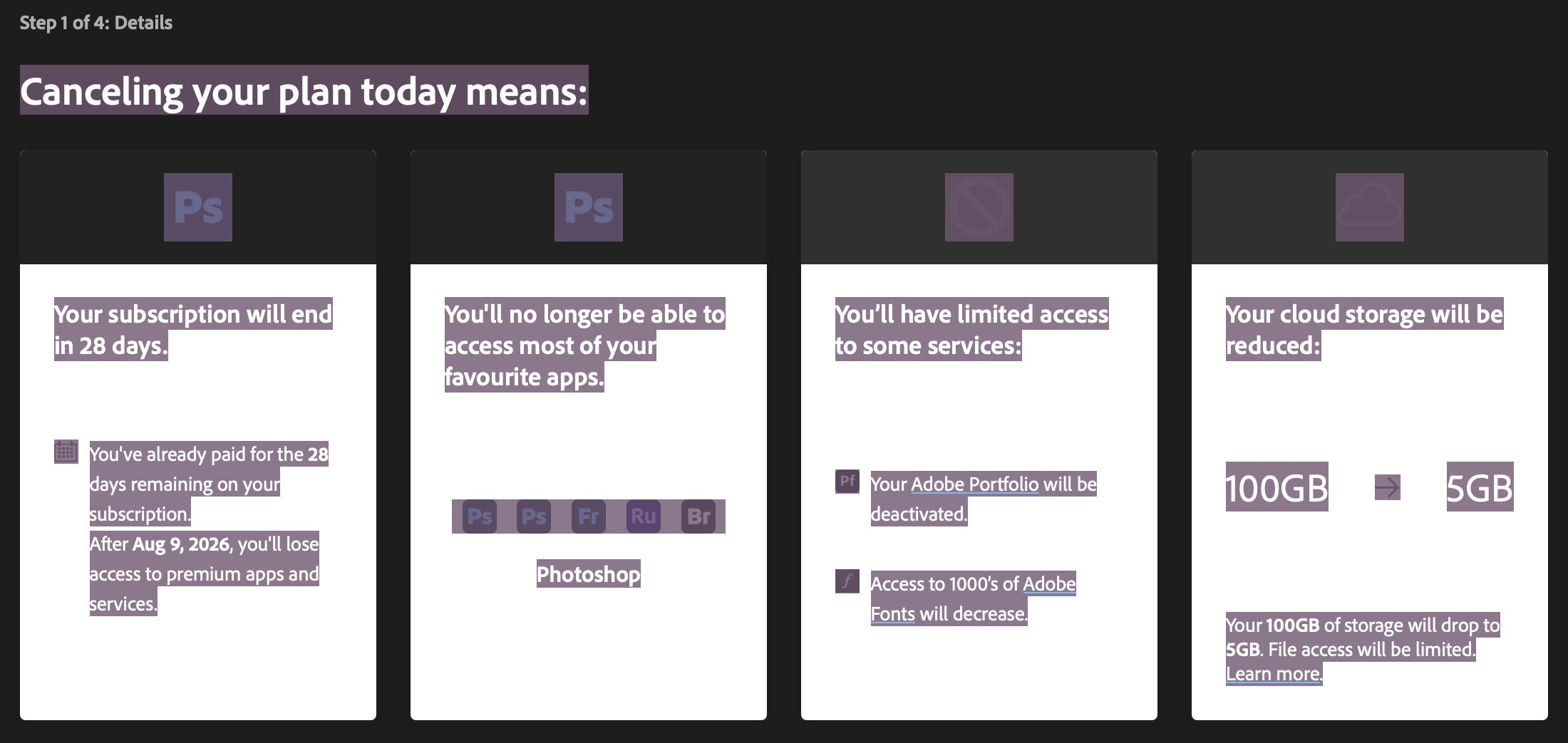
I guess no one at Adobe uses dark mode? Anyway, the next 3 steps included Adobe begging me not to cancel, and even offering me three free months. This process had not convinced me I’d be happier staying.
But even after completing the cancellation, I wasn’t done. I now wanted to uninstall everything. The Photoshop part of this was easy enough using the uninstaller app in the /Applications/Adobe Photoshop/ folder. The Creative Cloud app was more stubborn. There was also a link to an uninstaller for it in the /Applications/Adobe Creative Cloud/ folder… but running it failed with the error:
Couldn’t uninstall Creative Cloud for desktop. You still have Creative Cloud applications installed on your computer that require it.
Weird. The only other “app” I had installed was Camera Raw, which was just a plugin. There was also no way to uninstall it inside of the Creative Cloud app. I was able to find the plugin in /Library/Application Support/Adobe/Plug-Ins/CC/File Formats/. Deleting it and relaunching the Creative Cloud app showed that it was now no longer installed. I tried running the Creative Cloud uninstaller again, but I got the same error. This time I tried the “Repair” option, offered as part of the uninstaller, but that also failed. So I then tried the Creative Cloud Cleaner Tool… but this failed, too. I tried restarting after the last two steps, but that didn’t help.
At this point I was really annoyed, so I decided to manually remove things. I do not recommend doing this yourself, but here’s a general list of the stuff I got rid of:
- Under
/Applications/: all the Adobe folders - Under
/Applications/Utilities/: all the Adobe folders - The
/Library/Application Support/Adobeand~/Library/Application Support/Adobedirectories, as well as anycom.adobe.*files - Under
/Library/Preferences/and~/Library/Preferences/all theAdobe*andcom.adobe.*files - Under
/Library/Caches/and~/Library/Caches/anyAdobe*directories - Under
/Library/LaunchAgents/,/Library/LaunchDaemons/, and~/Library/LaunchAgents/directories: all thecom.adobe.*files - Under
/Library/PrivilegedHelperTools: allcom.adobe.*files - Under
/Users/Shared: allAdobe*directories
Let me reiterate: you should not follow my lead here. I likely missed some things, and it’s very easy to mess things up by deleting system files. I offer no support if you decide to follow these steps.
Again, it’s quite possible that there’s something weird going on with my machine or my installation… but I swear I never did anything but use the Creative Cloud app to manage things. I expect Adobe to be able to clean up their mess if they’re going to install files all over the friggin’ place.
Anyway, all this said, I’m still slightly sad to be rid of Photoshop. Pixelmator Pro suits my current needs, but there are definitely things I will miss from Photoshop. Pixelmator Pro’s UI is a bit of a Liquid Glass nightmare, but it’s a massive improvement in terms of software quality. I’m extremely happy that it doesn’t strew zillions of files across my computer. I’m also pretty certain it will be much easier to unsubscribe from if I decide to do so in the future.
So long, Photoshop. I’ll remember the old days fondly, but you are well past your prime.